About Aurora - Poweramp Skin
ATTENTION This skin only supports latest Poweramp stable version and is not compatible with Huawei devices running Android 7.0 (above is fine). Aurora is a colorf
ATTENTION
This skin only supports latest Poweramp stable version and is not compatible with Huawei devices running Android 7.0 (above is fine).
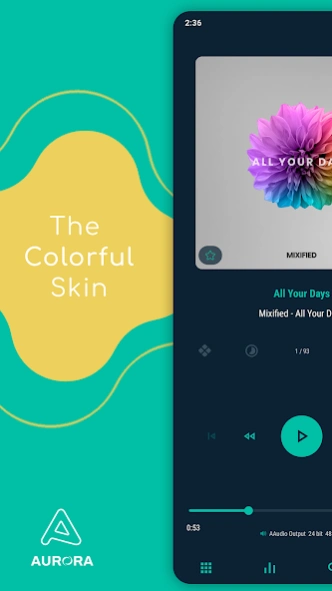
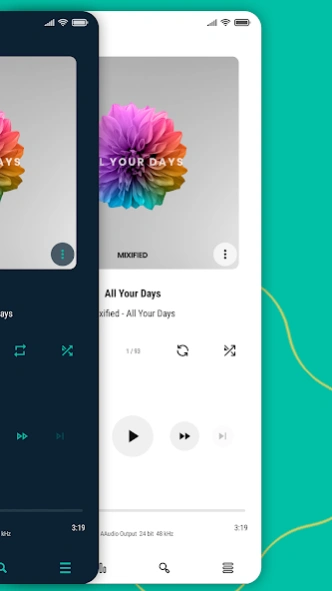
Aurora is a colorful skin for Poweramp 3 that supports Follow Day/Night Mode. You can customize almost everything to make Poweramp look material, minimalist, transparent, and stunning. This skin also supports Material You Dark and Light (Android 12 and up only). Unlike
Luminous and
Luminous Black ,
Aurora offers 2 modes:
Dark and
Light , along with some other unique options.
FEATURES
• Follow Day/Night Mode
• 35 Accent Colors (Aurora Dark), 34 Accent Colors (Aurora Light)
• 19 Background Colors (Aurora Dark), 16 Background Colors (Aurora Light)
• Material You (Dark, Light, Amoled, Vivid, Vibrant)
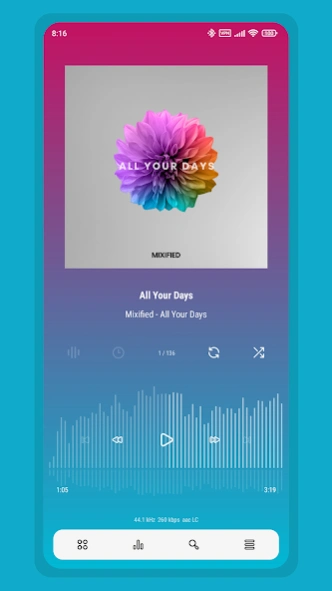
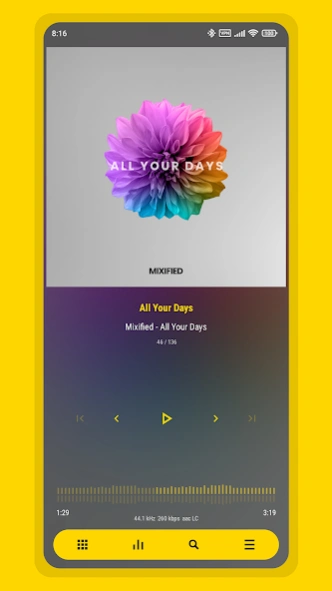
• 3 Player Screen Layouts
• Player Screen Track Title Alignment
• Album Art Blur Background & Overlay
• Gradient Background
• Transparent Background & Opacity
• Icon Sets and Sizes
• 42 Font Styles
• Header Overlay
• Selected Track Color
• Navigation Styles
• Knob and Eq Styles
• Eq Spectrums
• Album Art Sizes and Transitions
• Pro Buttons Styles
• Poweramp Equalizer Support
• And much more
SUPPORTED LANGUAGES
Chinese (Simplified), Chinese (Traditional), Czech, English, Indonesian, Japanese, Portuguese (Brazilian), Russian, Spanish, Ukrainian
Love the skin? Want to help with translations? Head over to
Skin App>
Swipe right>
About>
Join as a Translator . Your contributions will benefit many other users, and I truly appreciate your help!.
TIPS
• You can quickly access the skin settings by long-pressing the hamburger/menu button in Poweramp's navigation.
• To backup skin settings, use
Export Settings/Data in Poweramp.
ABOUT THE DEVELOPER
I develop this skin alone, not as part of a team.
Mixified Pixel is just the name of my company, but I’m committed to offering you the best Poweramp 3 skins available on the Play Store, and I’ll continue providing updates for as long as I can.
FREQUENTLY ASKED QUESTIONS
Find answers to common questions, compatibility notes, and issue explanations.
https://mixifiedpixel.com/#aurora-faq
CONTACT SUPPORT
If you experience any issues or have a request, feel free to contact me through the 'Contact Support' option in the skin app. Kindly use the email associated with your purchase.
DISCLAIMER
Poweramp is a registered trademark of Poweramp Software Design (MaxMP). This skin is an independent third-party application and is not affiliated with, endorsed by, or sponsored by Poweramp Software Design (MaxMP).
Previous Versions
Here you can find the changelog of Aurora - Poweramp Skin since it was posted on our website on 2019-08-09 18:11:23.
The latest version is 10.6.4 and it was updated on 2026-10-09 08:47:54. See below the changes in each version.
Aurora - Poweramp Skin version 10.6.4
Updated At: 2026-09-22
Changes: Aurora 10.6.4 Update!
✨ New Options
• [Library]
└ Library Icon Shape Style : Stroke 2
• [Player Controls]
└ 3 Player Buttons Shape Styles : Mix, Hybrid, Hybrid (Mix)
🛠️ Improvements
• Fixed crashes, black screens, and broken options caused by unstable skin settings on every update
• Skin App
💬 If the issue keeps happening, try Restoring Defaults in the Skin Settings. This will clear all your settings, but it will stay completely stable afterwards.
Aurora - Poweramp Skin version 10.6.2
Updated At: 2026-07-25
Changes: Aurora 10.6.2
New Options:
• [Personalize] Material You : Amoled (Aurora Dark), Vivid (Aurora Light)
• [Visibility] Hide Track Metadata
• Improved Skin App
If you encounter a black screen, broken features, or any other issues, I’ve created a video guide on how to fix them in the FAQ link below:
https://sites.google.com/view/aurora-skin/faq
Aurora - Poweramp Skin version 10.6.1
Updated At: 2026-06-06
Changes: Aurora 10.6.1
New Options :
[Font]
+ 5 Font Styles : Courier Prime, Google Sans Code, Oswald, EB Garamond, Fjalla One
• Improved Selected Track Stroke Style
• Fixed the incorrect artist icon on the Player Screen Buttons
If you encounter a black screen, broken features, or any other issues, I’ve created a video guide on how to fix them in the FAQ link below:
https://sites.google.com/view/aurora-skin/faq
Aurora - Poweramp Skin version 10.6.0
Updated At: 2026-05-17
Changes: Aurora 10.6.0
New Options :
[Library]
+ 2 Selected Track Styles : Solid and Stroke
[Font]
+ 7 Font Styles : Metropolis, Poppins, Inter, Montserrat, IBM Plex Sans, IBM Plex Sans Semi Condensed, IBM Plex Sans Condensed
• Small Improvements
If you encounter a black screen, broken features, or any other issues, I’ve created a video guide on how to fix them in the FAQ link below:
https://sites.google.com/view/aurora-skin/faq
Aurora - Poweramp Skin version 10.5.9
Updated At: 2026-04-13
Changes: Aurora 10.5.9
• Small Improvements
If you encounter a black screen, broken features, or any other issues, I’ve created a video guide on how to fix them in the FAQ link below:
https://sites.google.com/view/aurora-skin/faq
Aurora - Poweramp Skin version 10.5.8
Updated At: 2026-03-07
Changes: Aurora 10.5.8
• Fixed overlapping elements in Alternative layout (landscape mode)
• Translation updates
If you encounter a black screen, broken features, or any other issues, I’ve created a video guide on how to fix them in the FAQ link below:
https://sites.google.com/view/aurora-skin/faq
Find the line: "What should I do if the skin crashes, shows a black screen, options don’t work, or behaves strangely?" > Click the video and follow the steps carefully.
Aurora - Poweramp Skin version 10.5.7
Updated At: 2026-02-16
Changes: Aurora 10.5.7
What’s New:
[Album Art]
• No Zoom Animation
Disables Zoom Animation and makes the player screen album art slightly larger than default
[Font]
• New Font Style and Lyrics Font Style : Google Sans Flex Rounded
• Other Improvements
Aurora - Poweramp Skin version 10.5.6
Updated At: 2025-12-11
Changes: Aurora 10.5.6
• Improved Skin Stability
If you still experience black screen or non-working options, go to Aurora App > Info & Settings > Dark/Light Settings > Disable Aurora > Scroll down > Restore Defaults.
Note: this will reset all your skin settings
For more info, please check the FAQ : https://sites.google.com/view/aurora-skin/faq
Aurora - Poweramp Skin version 10.5.5
Updated At: 2025-12-01
Changes: Aurora 10.5.5
• New Styles and Options :
[Font]
+ Font Style : Google Sans Flex
+ Lyrics Font Style : Google Sans Flex
• Improved Hide App Icon. You’ll need to reinstall the skin if the skin app icon gets stuck in the App Drawer after using that option before. Reinstalling the skin won’t remove your Skin Settings.
• Updated translations
Aurora - Poweramp Skin version 10.5.2
Updated At: 2025-08-12
Changes: The update is temporarily on hold due to focusing on fixing issues with Poweramp Beta. I will release it once Poweramp Stable has been updated. So please stop complaining about issues on the Beta version while the Stable version works fine. Thank you!
Disclaimer
Official Google Play Link
We do not host Aurora - Poweramp Skin on our servers. We did not scan it for viruses, adware, spyware or other type of malware. This app is hosted by Google and passed their terms and conditions to be listed there. We recommend caution when installing it.
The Google Play link for Aurora - Poweramp Skin is provided to you by apps112.com without any warranties, representations or guarantees of any kind, so access it at your own risk.
If you have questions regarding this particular app contact the publisher directly. For questions about the functionalities of apps112.com contact us.